ALIGNMENTTEXT
Overview
Changes the alignment of selected text objects. The insertion base point remains fixed while the text placement is updated.
| Before | After |
|---|---|
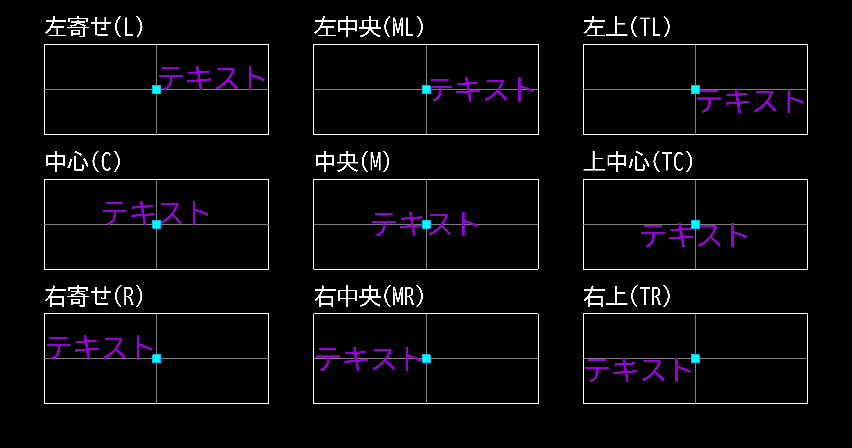 | 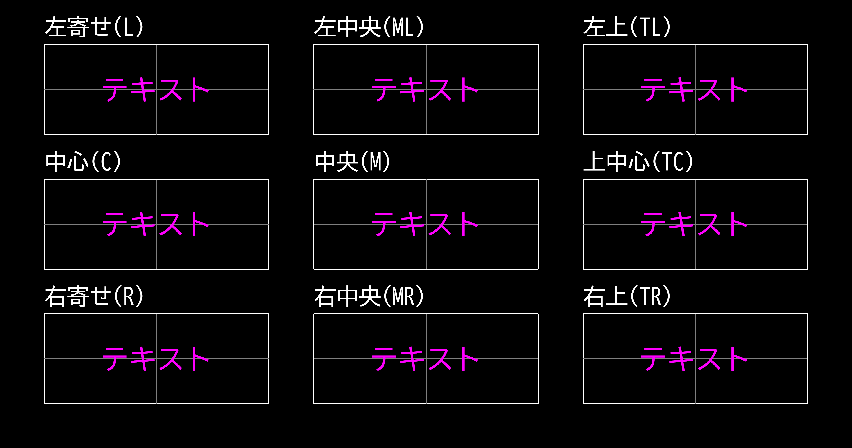 |
Usage
1. Select Objects
Select the objects you want to modify.
2. Specify Alignment
Specify the text alignment using keywords.
| Left | Center | Right | |
|---|---|---|---|
| Top | Top Left (TL) | Top Center (TC) | Top Right (TR) |
| Middle | Middle Left (ML) | Middle (M) | Middle Right (MR) |
| Bottom | Left (L) | Center (C) | Right (R) |
Operation Flow
Update History
| Date | Content |
|---|---|
| 2025/04/16 | New |